
Maybe you’ve been putting off a complaint email for a fortnight. Maybe your best friend is getting married in June and you’ve been asked to give a speech. Maybe a colleague has lost a parent and you’re staring at a blank card. Or maybe you run a small shop and the customer emails never stop.
Writing is one of the jobs AI assistants such as ChatGPT, Claude, Gemini and Microsoft Copilot do best. But they can also invent facts, sound like a robot and miss the feeling you’re trying to get across. This guide shows you how to use them well for almost anything you need to write, with copy-paste prompts and an honest look at what to check before you press send.
Quick answer: Tell AI who you’re writing to, why, the key facts, the tone you want and how long it should be, then ask for a draft. Treat that draft as a starting point: add your own details, cut anything that doesn’t sound like you, and check every name, date, amount and claim before sending. Don’t paste in personal details you wouldn’t want stored, and for anything legal, financial or emotional, the final words should be yours.
New to AI? Start with our complete beginner’s guide.
In this guide
- Start with your situation
- The five-part prompt that works for almost anything
- Emails: everyday, work and the tricky ones
- Formal letters: complaints, landlords and official replies
- Job letters: cover letters and resignations
- Personal messages: thank-yous, condolences and cards
- Speeches: weddings, birthdays and leaving dos
- Writing for your business
- Make it sound like you
- Where AI gets writing wrong
- Before you hit send: a quick checklist
- Which AI tool should you use?
- FAQ
Start with your situation
Most everyday writing falls into a few groups.
If your inbox is getting on top of you
Work emails, replies to a school, a polite chase to a builder: short, repetitive and perfect for AI. Our guide to writing professional emails faster goes deeper on the workplace side.
If you need to write to an organisation
Complaints, letters to your landlord, replies to the council or HMRC. These need to be clear, factual and calm, which is hardest when you’re cross or worried. AI is good at putting your points in a sensible order.
If the words really matter
Thank-you notes, condolence messages, wedding speeches and birthday cards. Here AI is best as a thinking partner: it can suggest a structure, a gentle opening or a funny line, but the heart of the message has to come from you.
If you’re writing for your business
Customer replies, reviews, newsletters and social posts. AI can save hours a week, as long as you give it your real prices and policies. Our complete small business playbook covers this in more detail.
The five-part prompt that works for almost anything
The single biggest difference between a bland AI draft and a useful one is what you tell it at the start. Before you ask for anything, give the assistant these five things:
- Who it’s for. “My landlord, who I’ve only met once” gets a very different letter from “my sister”.
- What you want to happen. A refund, a repair, a meeting, a smile. Say it plainly.
- The facts. Dates, amounts, order numbers, what has already happened. AI can’t know these, and if you leave gaps it may fill them with made-up details.
- The tone. Firm but polite, warm and informal, short and businesslike, light-hearted.
- The length and format. “Under 150 words”, “an email with a subject line”, “a three-minute speech”.
Here’s a general-purpose prompt you can adapt for almost any message:
Prompt: The all-purpose writing prompt
Please help me write a [type of message, e.g. email / letter / text / card].
It's for: [who it's for and my relationship with them].
What I want to happen: [the outcome I'm hoping for].
The key facts: [dates, names, amounts, reference numbers, what has happened so far].
Tone: [e.g. polite but firm / warm and informal / professional].
Length: [e.g. under 150 words].
Use British English. Don't add any facts, dates or promises I haven't given you. If something important is missing, ask me before you write the draft.
That last line matters: asking the assistant to check with you first stops it guessing. If you write the same kind of message often, our guide to writing better prompts at work shows how to save prompts like this and reuse them.
Emails: everyday, work and the tricky ones
Emails are where most people start, and where AI saves the most time. Three ways to use it:
- Draft from bullet points. Paste rough notes and ask for a clear email. Great for chasing, confirming and declining.
- Fix the tone of your own draft. Ask for it to be “more polite”, “less defensive” or “shorter”. The content stays yours.
- Reply to a long email. Paste it (minus personal details) and ask the AI to list what you’re being asked, then draft a reply that answers every point.
If you use Outlook at work, Copilot can do this inside your inbox. Microsoft’s help pages explain that you can choose Draft with Copilot, type what you want, then adjust the tone and length before you select Keep it and edit the draft. Our guide to writing faster in Word and Outlook with Copilot walks through it step by step. Gmail has a similar “Help me write” feature, but Google’s help page says that for personal Google accounts it’s currently limited to the US, so many UK readers will need a work account or an eligible paid plan, or will simply use a chatbot in another tab.
Prompt: Turn rough notes into a clear email
Turn these rough notes into a clear, friendly email.
Recipient: [name and role].
Notes: [paste your bullet points].
Keep it under [number] words, start with the main point, end with exactly what I need from them and by when. Give me a subject line too. British English.
For emotionally tricky emails, such as saying no to your boss or replying to a rude message, ask for two or three versions with different levels of firmness and pick the one that feels right.
And if an email asks you to click a link or pay urgently, AI can give you a second opinion on whether it’s a scam. See our guide to spotting scam emails and texts.
Formal letters: complaints, landlords and official replies
When you’re writing to a company, a landlord or a government department, the aim is a letter that’s clear, factual and hard to ignore. AI is very good at this structure: who you are, what happened, what you want and by when.

For complaints, Citizens Advice recommends checking whether the business has an official complaints procedure and following it, writing or emailing rather than just phoning, and keeping a copy of everything you send. If the business can’t sort it out, you can ask for a final response (sometimes called a “letter of deadlock”), which you may need if you take the complaint further. Citizens Advice also has free template letters for faulty goods, poor service, delivery problems and energy bills. A good approach is to start from the right template, then use AI to help you fill in the details clearly.
Prompt: A complaint letter that sticks to the facts
Help me write a formal complaint letter to [company].
What happened, in order: [dates and events].
Order or account number: [number].
What I've already done: [calls, emails, names of staff, dates].
What I want: [refund / repair / replacement / apology / compensation], within [14] days.
Keep it calm and factual, no more than one page, with a clear subject line. Don't quote any laws or rules unless I've given them to you, and leave a [CHECK] marker anywhere you think I should confirm a detail.
Notice the line about laws. AI assistants often add confident-sounding legal references, and they’re not always correct or up to date. If you want to mention your rights, look them up on Citizens Advice first and paste in the exact wording. Our detailed guide to writing a complaint letter that gets results covers escalation, ombudsmen and more prompts.
The same approach works for a letter to your landlord about repairs: dates you reported the problem, photos you’ve taken and what you’re asking for. And if it’s the other way round, with a confusing letter from the council, HMRC or a bank landing on your mat, AI can explain it in plain English and help you draft a reply. Our guide to understanding official letters and forms explains how to do that safely, including what to blank out first.
Job letters: cover letters and resignations
With job letters, the reader is deciding something about you. Recruiters see a lot of AI-written applications, and generic phrases such as “I am thrilled to apply” stand out for the wrong reasons.
For a cover letter, give the AI the job advert and your own notes on why you fit, then ask it to match your real experience to what the employer wants. Our guide to writing a cover letter that doesn’t sound like AI shows how, and our UK job hunting guide covers your CV, LinkedIn, interviews and offers too.
Resignation letters are simpler. Acas, the UK’s workplace advice service, says you don’t have to resign in writing, but it can help to have a record. Acas suggests telling your employer that you’re resigning, how much notice you’re giving and the date you expect to be your last day. If you’ve been employed for a month or more and you’re legally an employee, you need to give at least one week’s notice, and your contract may ask for more.
Prompt: A short, positive resignation letter
Write a short, professional resignation letter.
My job title: [title]. My manager: [name].
My notice period (from my contract): [length]. My last day will be: [date].
I'd like to thank them for: [one or two genuine things].
Keep it positive and under 150 words. Don't give reasons for leaving and don't make any promises about what I'll do during my notice.
Check the notice period yourself in your contract or written statement. Don’t let the AI guess it. There’s more in our guide to writing a resignation letter.
Personal messages: thank-yous, condolences and cards
This is where AI needs the lightest touch. A message of sympathy or thanks works because it’s personal, and the person reading it will often know if it’s not really from you.
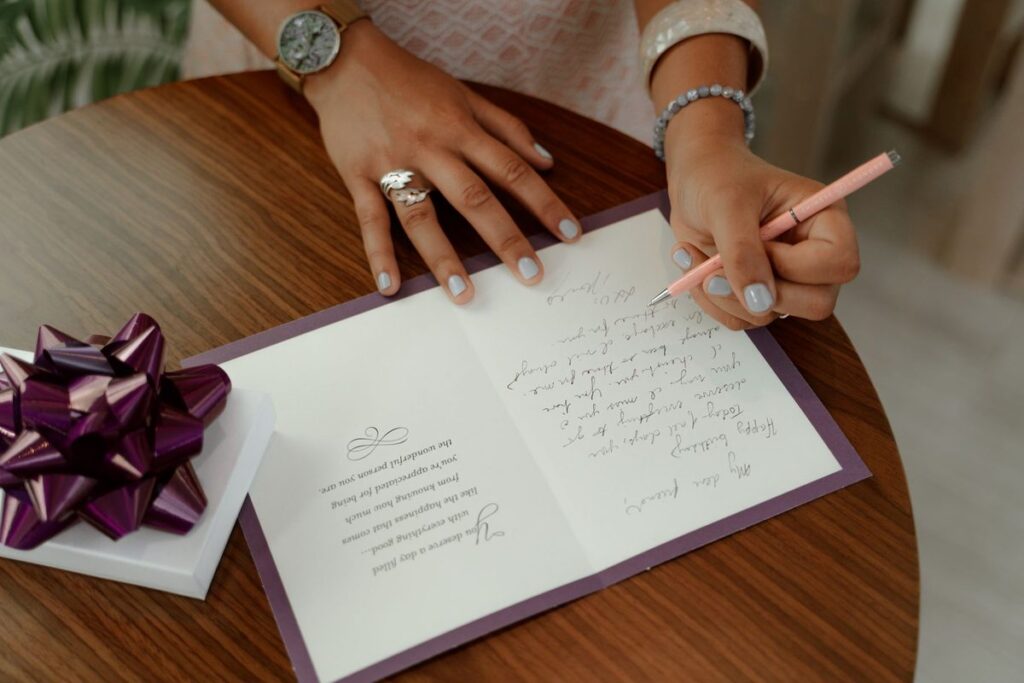
Use AI to get unstuck rather than to write the message: a few possible openings, what not to say, a gentle way to mention a memory. Then write the final version yourself. Our guide to writing a heartfelt thank-you or condolence message has examples for different situations.
Prompt: Help me find the words (without writing them for me)
I need to write a [condolence / thank-you / congratulations] message to [who they are to me].
What happened: [brief details].
Something specific I remember or want to mention: [memory or detail].
Please don't write the whole message. Instead, give me three possible opening lines in different styles, a list of things people often find comforting or meaningful to hear, and anything I should avoid saying. Keep it warm and simple, in British English.
With Christmas coming, the same idea works for cards and round-robin letters. See our guide to writing Christmas cards and round-robin letters.
Speeches: weddings, birthdays and leaving dos
Being asked to give a speech is an honour and, for many people, a small nightmare. AI can help you plan the structure, find a theme and time it, so you’re not starting from a blank page the night before.

The best speeches are built from your own stories. Write down three or four short memories first, then ask the AI to shape them.
Prompt: Plan a speech around my own stories
Help me plan a [wedding / birthday / retirement / leaving] speech.
I'm the [best man / maid of honour / friend / colleague] and it's for [name].
My stories and details: [paste 3 or 4 short memories].
The audience: [who will be there, e.g. family of all ages, work colleagues].
Length: about [3] minutes when spoken aloud.
Tone: [warm with light humour / heartfelt / funny but kind].
Give me a structure with an opening, two or three sections and a toast. Use only my stories, don't invent any events or jokes about real people, and flag anything that might embarrass someone in front of their family.
Read it out loud and change any line you wouldn’t say. Our guide to writing a speech for a wedding or birthday has timings, toast ideas and tips for nerves.
Writing for your business
For small businesses, writing never stops. The biggest risk is that it confidently promises a delivery date, refund or discount you don’t offer.
The fix is to give it a short “house facts” note it can work from, and tell it not to go beyond it:
Prompt: Reply to a customer using only my policies
You're helping me reply to customer emails for my business, [business name].
Here are our facts and policies: [opening hours, delivery times, returns policy, prices].
Our tone: [friendly and helpful, first names, no jargon].
Here's the customer's message: [paste it, with personal details removed].
Write a reply under 120 words. Only use the facts above. If the customer asks something the facts don't cover, write [ASK OWNER] instead of guessing.
From there, you can build up a set of guides for each job:
- answering customer emails and replying to comments and DMs
- replying to online reviews, good and bad
- writing sales follow-up emails that don’t feel pushy
- writing a newsletter for customers and product descriptions that sell
- writing Instagram captions and a price increase notice customers will accept
Make it sound like you
The most common complaint about AI writing is that it sounds like AI: too polished and too enthusiastic. You can fix most of this in minutes.
- Give it a sample. Paste two or three emails or messages you’ve written yourself and ask it to match your style.
- Ban the clichés. Tell it which words and phrases you never use.
- Ask for shorter. “Cut this by a third” is one of the most useful instructions you can give.
- Edit the opening and closing yourself. These are where your personality shows most.
Prompt: Match my writing style
Here are three examples of messages I've written myself: [paste examples].
Describe my writing style in five bullet points (sentence length, formality, how I open and close, words I use).
Then rewrite the draft below in that style. Keep it shorter than the original, use British spelling and avoid phrases like "I hope this finds you well", "delve", "thrilled" and "don't hesitate to reach out".
Draft: [paste the AI draft or your own draft].
If you write the same kinds of messages every week, you can save these instructions so you don’t have to paste them each time. Our guide to using ChatGPT and Claude Projects explains how.
Where AI gets writing wrong
AI assistants are helpful, but they make predictable mistakes. Knowing them makes you a much better editor of what they produce.
- Made-up facts. OpenAI’s own help centre says ChatGPT can produce incorrect or misleading answers, including made-up quotes and references to sources that don’t exist, and that it may sound confident even when it’s wrong. In a letter, that might be an invented law, a wrong deadline or a reference number you never gave it.
- Promises you didn’t mean to make. “We’ll refund you in full within 24 hours” is easy for an AI to write and hard for you to take back once it’s sent.
- The wrong tone. AI can sound oddly cheerful in a sad message or stiff in a friendly one, and it often over-apologises in complaints.
- American English and US rules. Expect “color”, “check” for cheque and US consumer rights unless you ask for British English and UK context.
- Generic writing. Without your own details, AI writes what everyone else’s AI drafts say, and readers notice.
- Privacy. Anything you paste into a chatbot may be stored. Leave out bank details, National Insurance numbers, medical details and other people’s personal information unless you’re sure how it’s used. In ChatGPT, OpenAI’s data controls let you turn off “Improve the model for everyone”, and temporary chats aren’t used to improve its models, though they may be kept for up to 30 days for safety purposes. At work, use the tool your employer has approved.
Before you hit send: a quick checklist
Take two minutes on every AI-assisted message before it goes out:
- Names, dates, amounts and reference numbers are correct and match your records.
- No made-up laws, policies or promises. If you’ve mentioned your rights, you’ve checked them on an official site.
- Every placeholder is gone. Search for square brackets, [CHECK] and [ASK OWNER].
- It sounds like you. Read it out loud. If you wouldn’t say it, change it.
- It’s the right length. Most messages are better shorter.
- The ask is clear. The reader knows exactly what you want and by when.
- For anything important, sleep on it and reread it in the morning.
Which AI tool should you use?
For the jobs in this guide, the free versions of the main assistants all work well, and the prompts above work in any of them.
- ChatGPT, Claude and Gemini are all strong general writers. If you’re new to them, our complete beginner’s guide to using AI in everyday life explains how to get started.
- Microsoft Copilot in Outlook and Word is handy if your employer provides it, because it works inside your emails and documents.
- Gemini in Gmail (“Help me write”) is convenient where it’s available, but check your account type, as Google says personal accounts outside the US don’t have it yet.
Whatever you use, the same rule applies: AI drafts, you decide.
Try it yourself with ChatGPT
Please help me write a [type of message, e.g. email / letter / text / card].
It's for: [who it's for and my relationship with them].
What I want to happen: [the outcome I'm hoping for].
The key facts: [dates, names, amounts, reference numbers, what has happened so far].
Tone: [e.g. polite but firm / warm and informal / professional].
Length: [e.g. under 150 words].
Use British English. Don't add any facts, dates or promises I haven't given you. If something important is missing, ask me before you write the draft.
Get the free AI Agents Playbook
50 practical AI workflows, plus one practical how-to a week in your inbox.
Free. No spam. Unsubscribe any time.
Related guides
- How to Use AI to Write Professional Emails Faster
- How to Use AI to Write a Complaint Letter That Gets Results
- How to Use AI to Write a Speech for a Wedding or Birthday
FAQ
Is it OK to use AI to write emails and letters?
Yes, for most everyday writing, as long as you check the facts and the final version says what you mean. Some workplaces, universities and application processes have their own AI rules, so follow those.
Can people tell if a message was written by AI?
Often, especially with personal messages and cover letters. Your own details and a shorter, edited draft make a big difference.
Is it safe to paste personal information into ChatGPT?
Be cautious. Remove bank details, ID numbers, health information and other people’s details where you can, check your privacy settings, and use your employer’s approved tool for work information.
Which is best for writing: ChatGPT, Claude or Gemini?
All three handle everyday writing well on their free plans. The quality of your prompt and your own editing matter far more than which tool you choose.
Reference: Citizens Advice: Solve an ongoing consumer problem with a business seller, Citizens Advice: Consumer template letters, Acas: How to resign, OpenAI Help: Does ChatGPT tell the truth?, OpenAI Help: Data controls in ChatGPT, Microsoft Support: Draft an email message with Copilot in Outlook, Gmail Help: Draft emails with Gemini in Gmail